
Tired of TV Ad Tracking? Why People Are Using AI To Dumb Down Smart TVs

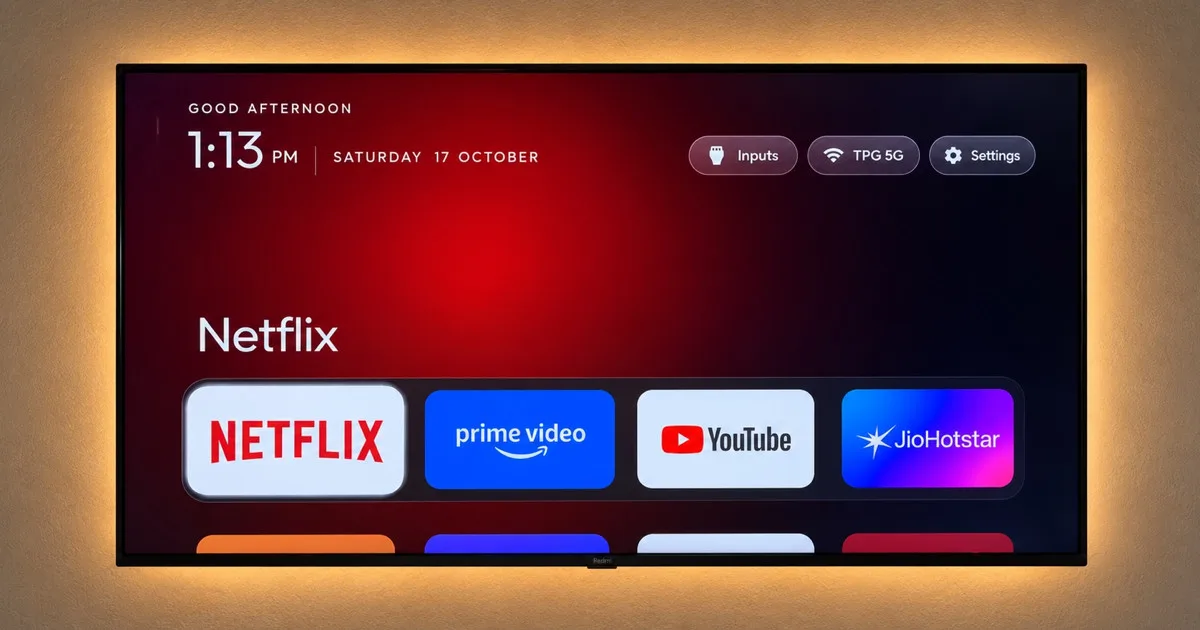
It’s virtually impossible to find a non-smart TV in stores these days, but they also come with frustrations like bloat, banner ads, content trackers, and slow menus. However, what if you could speed up your TV in a matter of minutes?
Among TV software DIYers, one of the latest trends involves using AI prompts to install alternate TV operating systems that eliminate ads and other tracking tools. Whether you’re an experienced vibes coder or simply sick of your Vizio’s ad banners, here’s what you need to know about installing your own TV operating system.
Stay tuned with CableTV.com
Get the latest deals, show premieres, and more by signing up for our newsletter.
By signing up, you agree to our Privacy Policy & Terms and Conditions.
How does TV OS vibes coding work?
Via TechCrunch, developers like CleanYourTV and Vibes Launcher have released GitHub projects touting streamlined, ad-free interfaces. To install these projects on your TV, you’ll simply have to activate your TV’s developer access mode and have your AI assistant of choice automatically install the overlay on your home TV.
Vibe coded my parents’ TV this afternoon!
It was showing a sponsored ad before you could even get to Netflix.
Gave Claude Code the model number, it found the TV on wifi, removed 25 Xiaomi packages and wrote a new launcher.
Looks like an Apple TV now lol https://t.co/E5Q4A1b0yI
— Gathin (Ø,G) (@gathint) October 17, 2026
On the backend, most of these projects act as an alternative menu system layered on top of your TV’s stock setup. Depending on the exact overlay you install, you won’t need to root (i.e., permanently hack) your TV, and you can revert back to your TV’s original setup at any time.
Should you install a vibescoded TV OS on your TV?
Considering the amount of bloat on contemporary smart TVs, it’s easy to see the value of going with vibescoded alternatives. With annoyances ranging from pushy manufacturer ads to automatic content recognition for targeted ads, it’s no wonder folks prefer to go from stock overlays to something like this:
Finally got a little time to vibe-code my TV with Hermes and made something I actually want to look at.
No ads. No rows of movies to rent or things I don’t really care for. Just the apps I use, the time, the weather, and art from artists I love. https://t.co/Z57SHUNf7P
— Jarlan Perez (@JarlanPerez) October 23, 2026
On the fence about trying an overlay for yourself? If you don’t know a code prompt from a hole in the ground, you might want to stick with app-based alternatives like ATV Launcher. These platforms are available directly on the Google Play Store and don’t require you to mess with AI and vibes coding.
Similarly, be prepared to troubleshoot on your own and take on some risk. Compatibility varies widely by TV model and platform, and on social media, some users have reported Claude botching installations or needing more input to properly install a launcher.
What it means for you
The remote chance of government intervention notwithstanding, smart TV advertising won’t be going anywhere soon. Companies like Roku and Vizio are essentially advertising companies that sell TV hardware on the side, as ad revenue makes up a huge cut of their profits, and they’ll continue to highlight advertising on your TV screen.
But the popularity of these vibescoded TV launcher projects reflects the discontent many consumers have with integrated and targeted advertising. We’re increasingly aware of how heavily technology tracks us, and few people like seeing targeted ads jump all the way from their browser to their TV screens.
With the ubiquity of AI agents, we’ll be interested to see if alternative TV launchers become a more common way for shoppers to claw back some privacy from advertisers.
Comment
byu/okmonye from discussion
in
Who we are
At CableTV.com, we have years of experience covering the biggest tech and streaming news. Stay tuned with us to learn more about the biggest TV and tech stories and see how they affect you. For more about us, check out our Editorial Policy.
