
Xfinity Wi-Fi Prioritizes Speed Over Customization
Fast internet speeds and simple setup make Xfinity Wi-Fi appealing, but advanced customization is limited. Read on to see if it suits your needs.



Xfinity’s Wi-Fi equipment catalog, powered by the Xfinity Gateway modem-router combo, is designed to make home internet setup simple and easy. You don’t need third-party devices, nor do you need to configure router settings. Most customers can plug in the Xfinity Gateway, follow the simple steps in the Xfinity app, and be online quickly with minimal effort.
In an everyday use scenario, Xfinity Wi-Fi delivers zippy speeds, and it supports the average household’s needs, such as streaming, video calls, gaming, and running smart home devices. The companion app lets you manage connected devices, adjust basic settings, and set parental controls—all without the need for lots of technical skill or knowledge. For many households, this ease of use and the simple setup process is a major selling point. For these folks, Xfinity Wi-Fi delivers.
But it’s important to note that this simplicity comes with a few trade-offs that you’ll want to consider. Advanced users who want deep network customization, granular control over router settings, or highly-tuned mesh systems may view Xfinity’s Wi-Fi gateway as limiting. Performance can also vary depending on home size, layout, and local network congestion. Although in fairness, this is true of most internet service provider-provided (ISP) Wi-Fi setups.
In this review, we’ll break down how Xfinity Wi-Fi performs in real-world conditions, what it does well, and where it falls short. It’s everything you need to decide whether it’s the right fit for your home before making a switch.
What is Xfinity Wi-Fi and how does it work?
Xfinity Wi-Fi is the wireless internet service delivered through the Xfinity Gateway (formerly known as the xFi Wireless Gateway), a combination modem and Wi-Fi router that connects your home to Xfinity’s cable network. Instead of using separate equipment for your modem and router, the Xfinity Gateway handles both wired and wireless connections via a single device. It broadcasts Wi-Fi to your devices (alongside Xfinity’s Wi-Fi Extenders, if necessary) to expand the Wi-Fi signal to all regions of your home.
Notably, if you have Xfinity’s professional installers hook up your Xfinity internet service, they’ll handle the install, configuration, and setup of your new Xfinity Gateway. They’ll even get you started on the app. I was admitted to the hospital when my internet was installed and my husband—whose tech-savviness is on par with my grandparents—was able to connect devices to Wi-Fi and manage it via the Xfinity app without issue. That’s saying something!
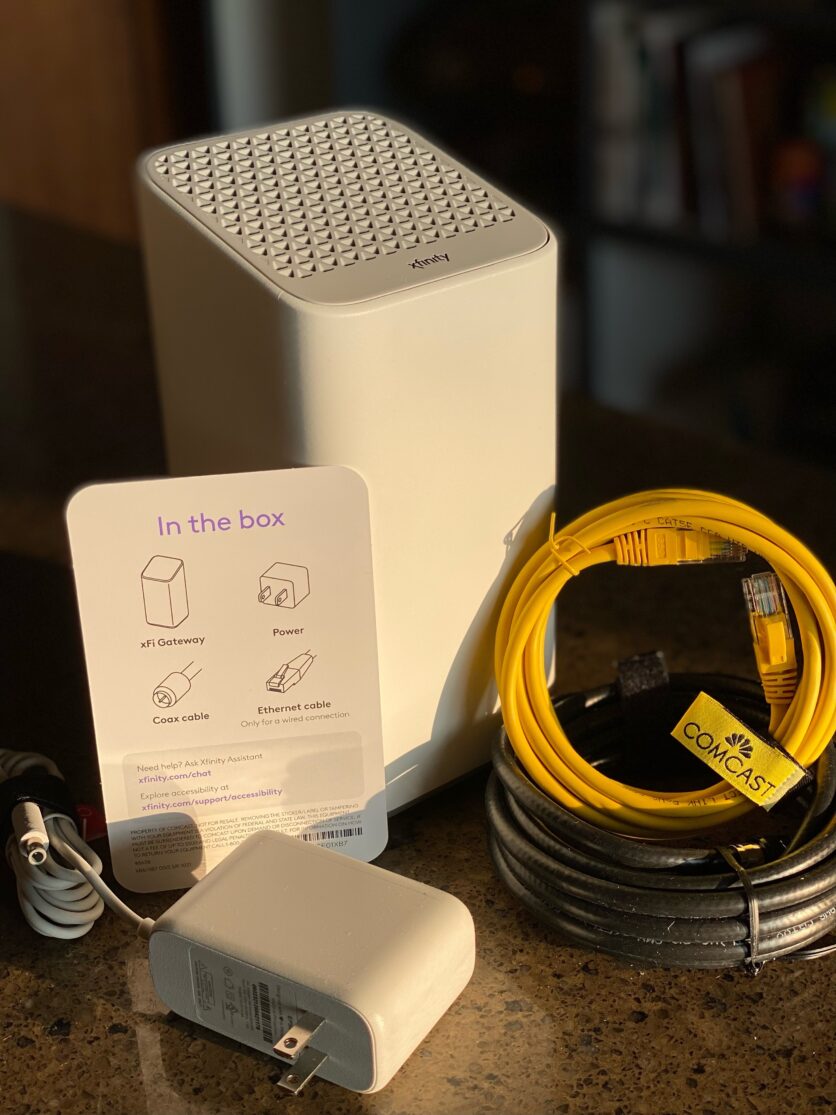
The Xfinity Wi-Fi ecosystem is designed to be largely hands-off. Xfinity automatically handles firmware updates, security patches, and internet plan compatibility issues. That translates into less maintenance and fewer updates for customers. But it also means you’ll have fewer opportunities to fine-tune the more advanced network settings.
There’s also Xfinity Complete, an enhanced service tier that includes additional features such as expanded Wi-Fi coverage via Xfinity Wi-Fi Extenders and unlimited data. This tier is ideal for households that require more data, along with larger homes in need of broader wireless coverage. It adds another layer to the overall Xfinity Wi-Fi ecosystem.
Xfinity Wi-Fi performance and reliability
When it comes to day-to-day use, Xfinity Wi-Fi delivers consistently fast speeds. In my experience running Xfinity Wi-Fi equipment in a 1,500-square-foot home, the performance has been robust enough to support simultaneous demand from HD video streaming, Zoom calls, online gaming, and an entire house worth of smart home devices, cameras, and sensors. Xfinity Wi-Fi consistently handles all of this without any noticeable lags, device drop-offs, or slowdowns. With the addition of a Wi-Fi Extender (which I got for free as part of an Xfinity promotion), I’m even able to get alerts from my Ring Mailbox Sensor—something I was never able to do with prior service providers.
When it comes to Xfinity Wi-Fi reliability, I honestly don’t have any complaints. I work from home, so I clock lots of daytime and evening “prime time” usage with virtually no downtime or interruption. My smart home cameras and sensors generate a constant flow of alerts while I’m busy editing videos, chatting on Zoom calls, and performing everyday tasks. Meanwhile, other members of the household are gaming, streaming HD videos, and watching Netflix. Our demand on the network is pretty consistent, and performance is typically solid.
Like most Wi-Fi setups, performance can fluctuate depending on environmental factors such as home size, floor plan, the construction materials used to build the structure, and the placement of the Xfinity Gateway relative to the devices that are connected to the network. Moving the Gateway just a few feet in any direction can have a noticeable impact on signal quality. For this reason, a bit of experimentation with placement can be beneficial so you get the best possible performance in the areas that matter most.
Network congestion can also play a role. During peak usage hours (typically evenings, due to heavy loads from gaming and streaming), you can generally see brief dips in performance as neighborhood demand increases. This hasn’t been a real issue in my day-to-day use, but it’s something to keep in mind for households that rely heavily upon real-time activities such as video conferencing or competitive online gaming.
For homes that struggle with Wi-Fi dead zones, Xfinity Wi-Fi Extenders help eliminate those dead zones by improving Wi-Fi coverage throughout your home. Much to my delight, it took me about five minutes to set up my extender in the Xfinity app. I spent more time contemplating the ideal location for it. This gadget can make a meaningful difference in Xfinity Wi-Fi coverage in larger or more complex home layouts.
Overall, Xfinity Wi-Fi performs well for typical household use. Based on extended real-world use, it’s reliable enough for families, remote workers, and everyday streaming needs. But if you have more robust home construction or high-performance expectations (especially surrounding competitive gaming and lots of streaming), you may need extenders or a more customized third-party setup to arrive at a configuration that effectively meets your needs.
Xfinity Wi-Fi gateway real-world testing
I performed a stress test to see if I could tax the Xfinity Gateway to the point where its performance became frustrating or even unusable. To do this, I first had two gamers start playing games on two laptops in my home. I also set up streaming on two TVs, two tablets, and two phones.
I then took the tablets and phones outside into the yard to get some distance between the devices and the gateway. Performance was consistent, so I switched location and headed to the opposite side of the house. Next, I tried to make a Zoom call on a third phone hanging out by the mailbox, which has traditionally had shoddy Wi-Fi coverage. My Zoom call went surprisingly well! There was a slight bit of delay at times, but it’s hard to tell if that was my Wi-Fi or a Zoom issue.
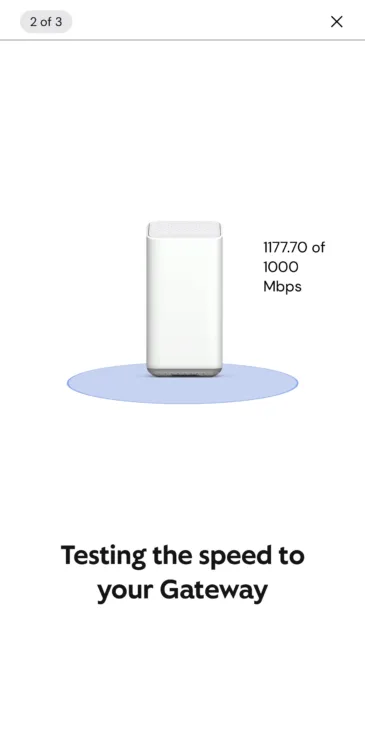
The devices all continued to stream as I began to gather some attention from the neighbors with my curious curbside streaming station/Zoom conference center. My curbside performance was running at 117% of my internet plan’s advertised speed of 1,000 Mbps.
I headed back inside to chat with the two gamers regarding their experience. Both reported momentary lags, and one was a bit annoyed, claiming that he “got shot” as a result. (Arguable!) But overall, their issues were momentary and fleeting. I was clearly putting the Xfinity Gateway and WiFi Extender through the paces, but I wasn’t able to create conditions that were sufficiently frustrating to the point where you’d say, “Forget it. I’m going to Starbucks.”
My conclusion? The Xfinity Wi-Fi network can easily handle the demands of your typical household, including multiple streaming devices, Zoom calls, gaming, and a smattering of nearly 20 networked cameras and smart home devices.
Xfinity app and Wi-Fi features
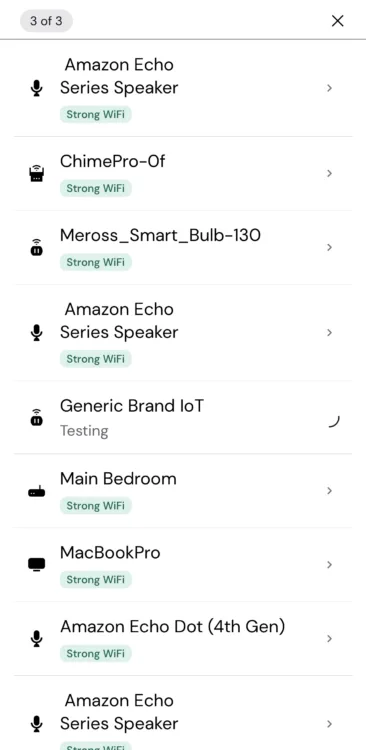
The Xfinity App serves as the control center for Xfinity Wi-Fi. It’s a big reason the service feels intuitive and approachable, even for folks who aren’t super tech-savvy. The app provides you with visibility into all the devices that are connected to the network. You also have the power to pause Wi-Fi on devices as needed, which is great for enforcing screen time or putting that neighbor with your Wi-Fi password on ice. The app also lets you rename devices and create user profiles for different members of your household.
The parental controls are also straightforward, so it’s easy to manage screen time or restrict access for specific devices without having to dig through technical menus or adjust router settings.
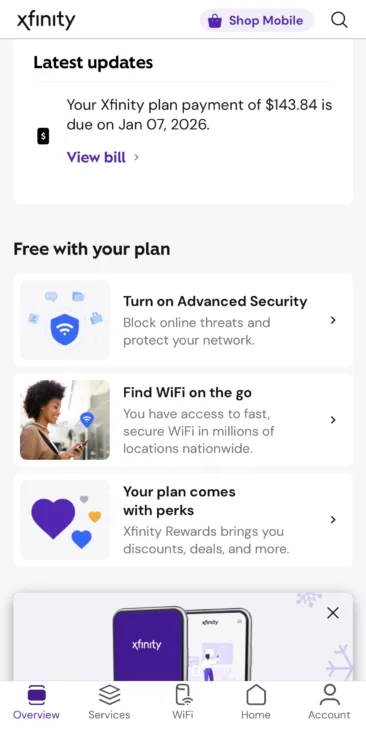
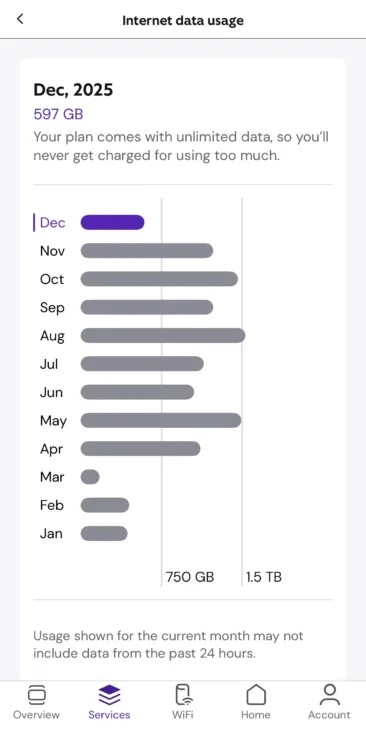
Beyond basic management, the Xfinity app also includes practical tools such as built-in speed tests, device troubleshooting, security tools, and security alerts. Practically speaking, the app is really well-rounded in terms of its toolset, so I’ve never had the need to reach out to customer support. For families, shared households, or users who prefer managing everything from their phone versus having to log into a web-based dashboard, the Xfinity App makes Wi-Fi management feel convenient and well-centralized.
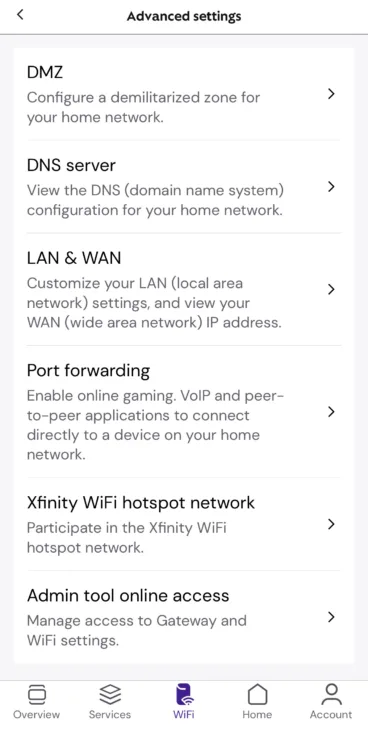
Of course, there are downsides. If you’re a tech-savvy advanced user who’s seeking granular control over areas such as DNS settings, firewall configurations, or quality-of-service rules, there’s a good chance you’ll find the Xfinity app limited and restrictive. Xfinity clearly prioritizes easy-of-use and automation over the ability to customize, which works well for the majority. But it can be frustrating for adept power users. Ultimately, the app is very representative of Xfinity Wi-Fi’s core trade-off: Users get zippy speeds, an intuitive toolset, and overall convenience, but it comes at the cost of fewer options for more granular network tuning and management.
Notably, you can use third-party hardware with Xfinity’s gateway. If you prefer an advanced network configuration, connecting your own Wi-Fi router represents your best bet at achieving this.
Is Xfinity Wi-Fi right for your home?
Xfinity Wi-Fi delivers a fast, dependable wireless network experience for households that want consistently strong performance without the hassle of complex setups and management challenges that require lots of technical knowledge. It really is a set it up and forget it kind of configuration, while offering the ability to manage users, networked devices, and access if that’s what your usage preferences require.
In a real-world setting, Xfinity Wi-Fi comfortably allows for simultaneous streaming, video calls, gaming, and smart home devices. And it is wonderfully stable and easy to manage, which is good news if you’re using it for essential tasks such as remote work or managing your smart lights and Alexa devices. For most users, that combination of speed and reliability is exactly what they need from a home Wi-Fi system.
The Xfinity App plays an essential role, giving you an intuitive, easy-to-use interface where you can manage devices, view and manage Wi-Fi settings, parental controls, and troubleshoot common issues all from your tablet or smartphone.
It is important to note that the Xfinity Gateway and Xfinity App is not built for deep, hands-on network customization. But for a majority of households, this really won’t matter. Xfinity clearly prioritizes ease of use and automation, and for families, remote workers, and anyone who wants their Wi-Fi to just work, Xfinity Wi-Fi strikes a practical and effective balance.
Why you should trust us
To evaluate Xfinity’s Wi-Fi hardware, our expert writers and editors spent weeks testing Xfinity’s Wi-Fi gateway, the companion Xfinity app, and the Xfinity Wi-Fi extenders.
Check out our How We Rank page for more information on our methodology.
